
CONNECTIVITY
Bring your trading evidence into Mindoro.
Connect your trading platform or import your trading history to give Mindoro the evidence it needs to analyse performance, behaviour and execution.
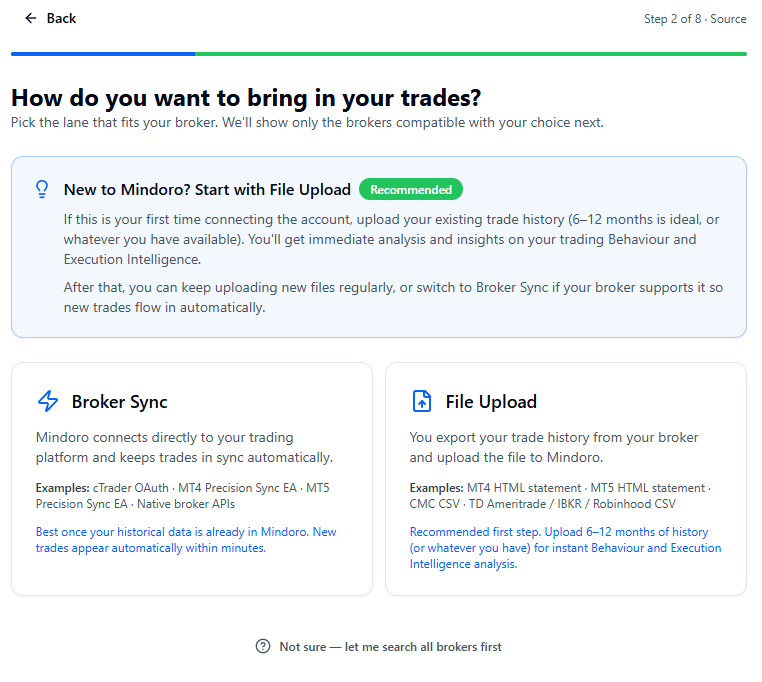
Mindoro supports direct connectivity through cTrader, Precision Sync for MT4 and MT5, and file-based imports from supported trading platforms and brokers.
Choose your account. Mindoro helps you find the right way to connect it.
WAYS TO CONNECT
Connect automatically or bring your trading history with you.
cTrader
Keep your cTrader activity flowing into Mindoro.
Mindoro connects directly to cTrader through secure OAuth authorisation to import your trading history and keep subsequent trading activity in sync automatically.
Direct connection · Ongoing sync · Historical trades
MT4 & MT5
Keep your MetaTrader activity flowing into Mindoro.
Mindoro Precision Sync uses a lightweight Expert Advisor to connect MT4 or MT5 trading activity with Mindoro. Traders can also import detailed MT4 or MT5 HTML statements when a file-based approach is preferred.
Precision Sync · Ongoing sync · HTML statement import
File Import
Bring your existing trading history into Mindoro.
Upload supported broker exports to analyse trading history already completed. Mindoro supports a range of CSV and statement formats and uses the evidence available in each source.
CSV · HTML · Supported broker exports
Not sure which method to use? Mindoro's connection wizard identifies the available options for your broker or prop firm and guides you through the connection.